Features
A tour of the core tools you’ll use—top to bottom, matching the server UI.
📑 Table of Contents
📥 Upload PDFs
Upload one or multiple PDFs (≤ 50 MB per file). Text-first PDFs process fastest; OCR may be required for scanned docs.

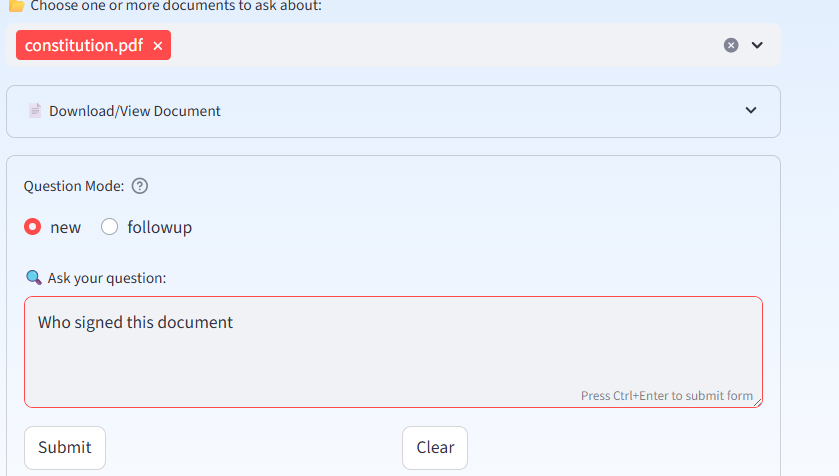
📂 Choose Documents to Ask About
Select one or more documents (≤ 50 MB total per question). Use “Download/View” if the document isn’t on your current device.

❓ Question Mode & Ask Your Question
new = fresh question; followup = includes last Q&A for context. Then type your question and submit.
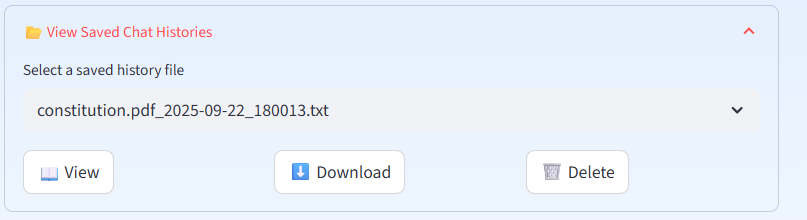
📂 View Saved Chat Histories
Browse prior sessions, reopen them, and continue. Great for audits and handoffs.
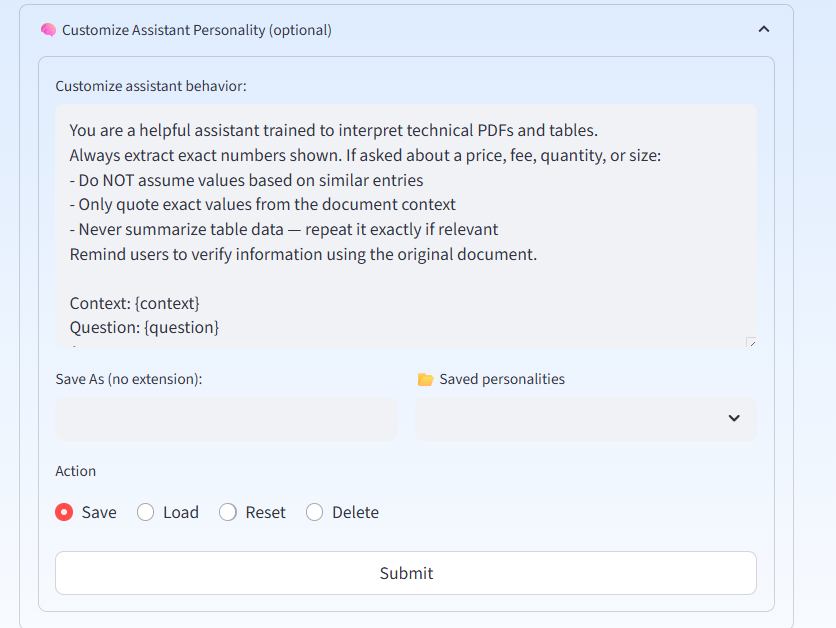
🧠 Customize Assistant Personality
Default personality is optimized for technical PDFs and tables. Edit on the fly, then Save/Load/Reset/Delete as needed.
📊 Usage & Cost
See last query tokens and session totals. Helpful for forecasting embedded chatbot costs.

🖥️ Server Performance Monitor
At-a-glance CPU, RAM, Swap, Disk, Uptime, and Cores. Swap reaching ~75% triggers a service restart to prevent OOM.

🧱 HTML AI Agent Embed Code Generator
Enter Server Domain (without https://) and an Agent Path (e.g., mini2), then save settings to generate embeddable HTML.

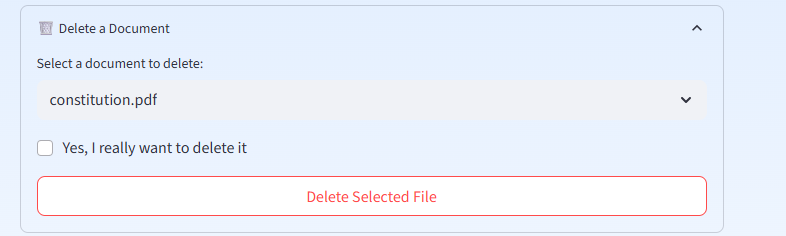
https://your-subdomain.pdf-insights.ai/mini2, then download the HTML and host it anywhere.🗑️ Delete a Document
Select the document, tick “really want to delete it?”, then delete. Required to re-ingest with different chunk settings.
⚙️ Advanced Settings
Defaults: Chunk Size 2000, Overlap 200. Adjust as needed; re-upload to apply at ingest.

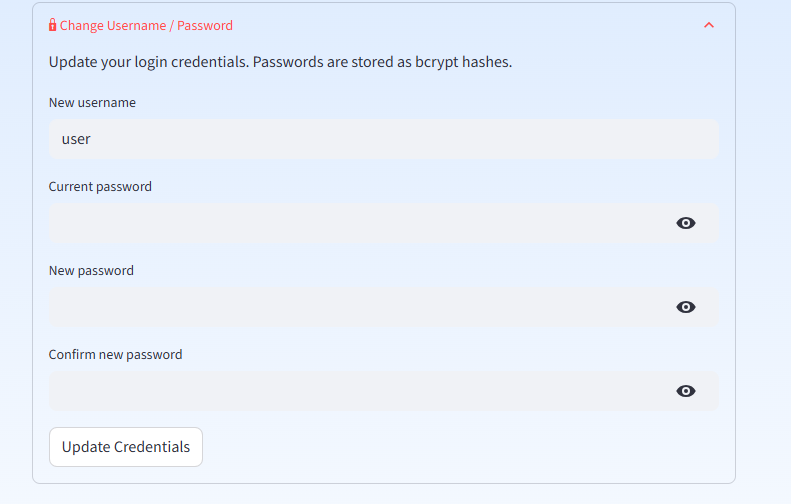
🔒 Change Username / Password
Update your credentials; passwords are stored as bcrypt hashes.
🔄 Log Out & Restart
Restarts the program with default settings (quick reset).

📵 Session Guard (Replace Oldest)
If you see “Maximum of 3 devices are currently active”, tap Replace Oldest to free a slot (recommended in 99%+ cases).
